3D Instagram Live Button Mockup: Design Tips and Uses
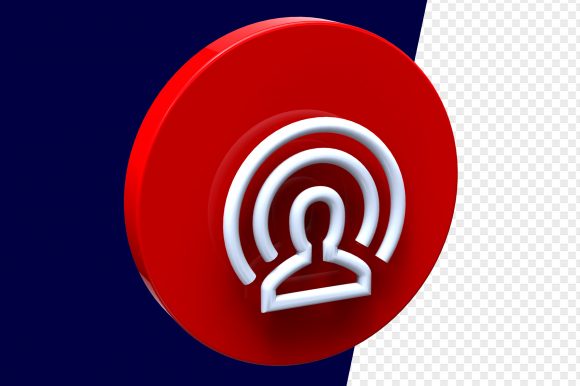
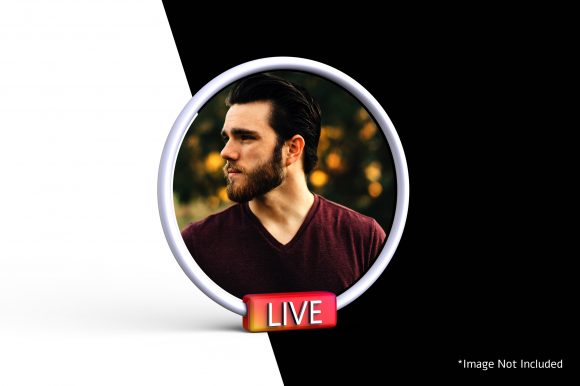
Scrolling through Instagram, you’ve likely seen that distinctive red circle with white “Live” text – the signal that someone is broadcasting in real time. Now imagine that button popping out of the screen with depth, shadows, and a realistic glossy finish. That is a 3D Instagram Live Button Mockup – a digital design asset that recreates the familiar live icon as a three‑dimensional object, often placed in a scene like a phone screen, a social media feed, or a promotional banner. It is not the actual button you use on Instagram; it is a visual tool for anyone who wants to emphasize live events in their own marketing, thumbnails, tutorials, or creative projects.
Because the mockup adds a layer of realism – beveled edges, highlights, and a sense of physical presence – it grabs attention differently than a flat icon. For marketers, that extra polish can make a call‑to‑action stand out. For creators, it can help a video thumbnail feel more dynamic. For small business owners, it can add a professional touch to an event announcement without needing a full design background. The same asset can serve very different needs depending on who picks it up.
What a 3D Instagram Live Button Mockup Actually Is
At its core, a 3D Instagram Live Button Mockup is a graphic file – often a PSD (Photoshop), PNG, or vector – that shows the live button rendered with three‑dimensional effects. Some mockups are static images; others are layered templates where you can change the background, the button colour, or the text. A few even come as smart objects: open the file, drop in your own design, and the mockup automatically adjusts the lighting and perspective to match your 3D scene. This means you can produce a polished graphic in minutes.
These mockups are used in social media graphics, website banners, email newsletters, presentation slides, and even video thumbnails. They save time compared to building a 3D object from scratch in software like Blender or Cinema 4D. The quality varies – some are photorealistic with soft shadows and reflections, while others are simpler but still give a sense of depth. The choice depends on your project’s tone and your audience’s expectations.
Why Different Audiences Care About This Mockup
The value of a 3D Instagram Live Button Mockup shifts based on who you are and what you are trying to achieve. A professional designer might evaluate it for flexibility and rendering quality; a beginner might look for ease of use and an affordable price; a business owner might care most about how quickly it can be adapted for a campaign. Below are several perspectives, each with a different priority.
Creators and Content Producers
If you produce videos, stream live, or run a consistent content schedule, a 3D mockup can help your thumbnails and promotional graphics feel cohesive. The live button signals immediacy – “Watch me now” – and in 3D, it suggests a higher production value. You might use the mockup as an overlay on your video thumbnail or as a badge next to your username in a promo graphic. The key priority here is speed and brand consistency. A smart‑object mockup lets you keep the same button style across multiple episodes while swapping out background images or colours.
For example, a streamer who goes live every Tuesday can create a weekly Instagram story using the same 3D button mockup but changing the date or topic text inside. Their audience starts associating that specific button style with live content. Over time, that visual shorthand builds recognition.
Small Business Owners and Entrepreneurs
For a small business, a live event – a product launch, a Q&A, a behind‑the‑scenes tour – can drive engagement. But many owners do not have a design team. A pre‑made 3D Instagram Live Button Mockup becomes a ready‑to‑use asset. The main concern is cost and adaptability. A free mockup from a design site may be enough for an email header or a Facebook event cover. A paid template might offer multiple angles (front, isometric) and layered files that let you adjust the button’s label from “Live” to “Now” or to a specific time.
Imagine a bakery owner promoting a live cookie‑decorating session. They take a 3D mockup, drop it onto a photo of their kitchen, add “Live Saturday 2 PM” in the editable text layer, and post it on Instagram Stories and their website footer. No need to learn 3D software – the mockup does the heavy lifting. The result is a graphic that looks much more polished than a simple text overlay.
Marketers and Brand Managers
Marketing teams often need multiple assets for a single campaign – a banner, a social tile, an email hero. A 3D mockup can serve as a unifying element. Marketers care about flexibility and professional appearance. A high‑resolution mockup that works both on a website (72 dpi) and in print (300 dpi) is worth the investment. They might also need variations: a button with a soft glow for a dark background, or a button with a metallic rim for a premium brand.
One practical use is in A/B testing marketing visuals. A team could create two versions of a Facebook ad – one with a flat live icon and one with the 3D button – and measure click‑through rates. The 3D version often attracts more attention because it simulates depth, which stands out in a busy feed. The marketer’s decision hinges on quality and reliability: will the mockup render consistently across different ad platforms and screen sizes?
Educators and Course Creators
If you teach social media strategy, design, or marketing, a 3D Instagram Live Button Mockup can be a visual aid. You might show students how to create a consistent brand element or demo how to edit a smart object. The priority here is learning value and clarity. A mockup with clearly named layers and instructions helps students follow along. You could also use the mockup to explain the concept of visual hierarchy – why a 3D button draws the eye before a flat text link.
For example, a course creator records a tutorial on building Instagram Stories for engagement. They use a 3D live button mockup as the “call to action” graphic, then show how to animate it (by duplicating the layer, adding a scale animation, and exporting as a GIF). The mockup becomes both a teaching tool and a reusable resource for students.
Hobbyists and Design Enthusiasts
Not everyone needs a mockup for a project. Some people simply enjoy playing with design assets. For a hobbyist, the appeal is creativity and exploration. A 3D mockup can become part of a larger composition – merging it with a photo of a phone, adding reflections, or creating a surreal scene. The cost may be less important than the satisfaction of crafting something unique. Free mockup sites and community forums offer plenty of options for experimentation.
A hobbyist might download a PSD file and spend an evening tweaking the button’s texture, swapping the background from a studio wall to a city street, and exporting different versions just to see what looks good. That playful process builds skills that later translate into professional work.
Key Factors to Consider Before Choosing a Mockup
Not every 3D Instagram Live Button Mockup fits every situation. Here are several dimensions you might evaluate based on your role and goals.
Ease of Use
Beginners should look for a mockup that is a smart object in Photoshop or a simple layered file. If you have never used layer masks, a file with pre‑made adjustments is safer. Some mockups come with video tutorials that walk through editing. Advanced users might prefer a raw 3D model (OBJ or FBX) that they can light and texture themselves. The choice comes down to your comfort with design tools and the time you want to invest.
Cost and Licensing
Free mockups abound on sites like Freepik, Mockup World, and Behance. They often come with attribution requirements or restrictions on commercial use. Paid mockups (from Envato Elements, Creative Market, or individual designers) usually offer broader licenses, higher resolution, and more variations. If you plan to use the mockup in paid ads or merchandise, check whether the license covers those uses. Business owners may find a paid mockup a worthwhile investment for the legal peace of mind and the polished end result.
Quality and Realism
Photorealism matters when the mockup will appear alongside high‑resolution photos or brand materials. Look for details like soft shadows, subtle reflections, and proper perspective. A low‑quality mockup with harsh edges can actually detract from your message. On the other hand, for a casual Story post or an internal presentation, a simpler 3D effect may be sufficient. The rule of thumb: match the mockup’s realism to the context where it will be seen.
Customizability
Can you change the button’s colour, text, and background? Can you rotate the angle? The more flexible the file, the more uses you will get. Some mockups include multiple angles in one download – a top‑down view, a tilted view, and one integrated into a phone screen mockup. If you plan to produce multiple variations for different platforms, look for a set, not just a single image.
Long‑Term Usefulness
A mockup that reflects a specific Instagram UI version (e.g., the old circle with “Live” inside) may become outdated if Instagram updates its design. However, most 3D mockups are not meant to replicate the exact current UI – they are stylized elements that evoke the idea of “live.” A slightly more generic button (with “LIVE” or “Live Now”) stays relevant longer. Think ahead: if you intend to reuse the asset for months or years, choose a design that does not rely on a specific interface detail.
Practical Examples for Different Readers
- A beginner: Visit a site that offers free PSD mockups with smart objects. Download a 3D live button, open it in Photoshop (or a free alternative like Photopea), double‑click the smart object, paste your own background image, save, and export. You get a custom graphic in under five minutes.
- A professional designer: Use a 3D software template from a platform like Spline or Sketchfab that allows custom lighting and animation. Adjust the button’s material to match a brand’s neon accent colour. Render a short looping animation for use in a video intro.
- A small business owner: Pay for a mockup set that includes the button isolated and also placed on a smartphone screen. Use the isolated version for Instagram posts and the phone version for a website hero banner. Keep the file saved for future live events – swap the text and background each month.
- An educator: Create a resource pack for students that includes a layered 3D mockup plus a one‑page guide explaining how to edit layers, change colours, and export for different formats. The mockup becomes a hands‑on lesson asset.
Is a 3D Instagram Live Button Mockup Right for You?
Deciding whether to use this asset depends on your specific project, skill level, and the impression you want to leave. If you need a quick, visually engaging way to promote a live event and you are comfortable editing a layered file, a pre‑made mockup is a practical solution. If you instead want total creative control – perhaps a custom animation or a unique brand integration – building your own 3D button from scratch may be worth the effort. For most people in between, a ready‑to‑use mockup strikes a good balance between speed and impact.
Consider also the platform: Instagram itself uses a simple flat button in its interface. But when you step outside the app – to a website, an email, or a cross‑platform ad – a 3D version can signal that something extra is happening. It tells the viewer, “This is an event worth clicking.” Whether you are a creator, a small business owner, a marketer, or simply someone curious about design, a 3D Instagram Live Button Mockup can be a small but effective tool in your visual toolkit. And learning how to adapt it to your own style is a skill that will serve you across many projects.