Exploring the Toys 3d Text Style Effect: Design, Play, and Practical Application
Typography has come a long way from simple black letters on a white page. Among the more playful and visually engaging trends in modern design is the Toys 3d Text Style Effect. This look mimics the vibrant, tactile quality of toy lettering—think chunky plastic blocks, glossy action figure logos, or pastel letter bricks scattered across a playroom floor. It blends depth, color, and a sense of whimsy that appeals to both children and adults. But beyond its surface charm, this style has serious applications across branding, digital media, packaging, and web design.
Understanding what makes the Toys 3d Text Style Effect work requires looking at its visual ingredients, the contexts where it shines, and the practical steps for using it effectively. Whether you are a designer, a marketer, or someone exploring creative typography for a personal project, this article walks through the key qualities, modern workflows, and important considerations associated with this unique style.
What Defines the Toys 3d Text Style Effect
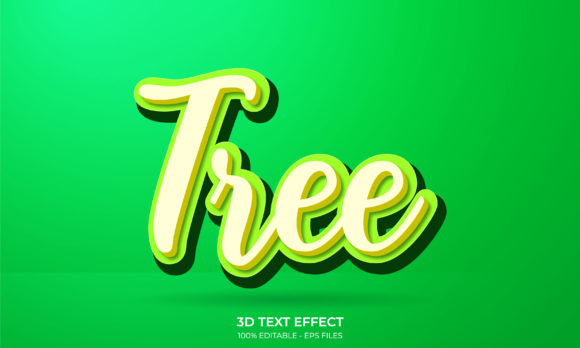
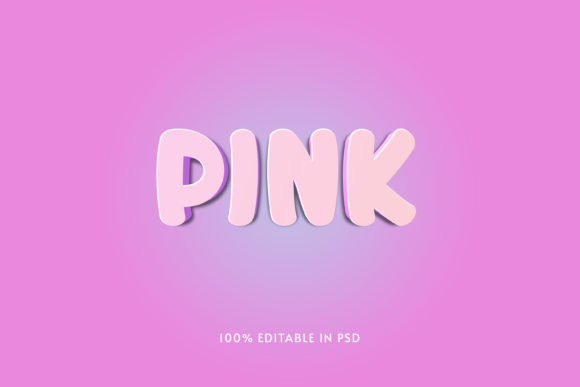
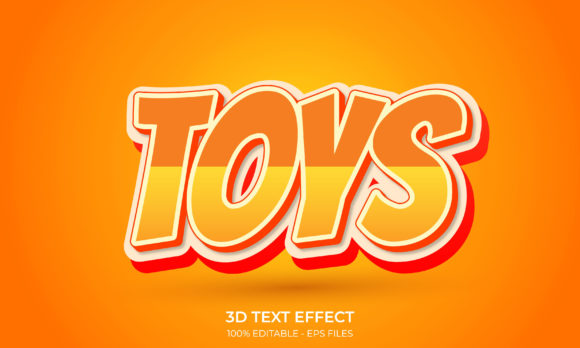
At its core, this effect combines three-dimensional depth with a toy-like aesthetic. The letters look as though they could be picked up, stacked, or tossed into a bin. Several visual qualities contribute to this impression:
- Bold, rounded shapes. Sharp serifs and thin strokes rarely appear here. Instead, chunky sans-serif forms dominate, often with soft corners that suggest safety and durability—much like real toys.
- Vivid, saturated colors. Primary colors, pastels, neon hues, or gradients that mimic plastic, rubber, or painted wood all fall within the palette. The colors are rarely muted or neutral.
- Pronounced depth and shadow. Extrusion effects, drop shadows, or beveled edges give the letters physical weight. The depth often looks exaggerated, as if the letter were a thick block extruded from a mold.
- Textured surfaces. Glossy highlights, matte finishes, or subtle speckles can make the text feel tangible. Some variations include simulated wear, like scuffs or scratches, to reinforce the toy-like character.
- Playful arrangement. Letters may tilt, overlap, or sit at irregular angles, echoing how children might arrange blocks or magnets on a board.
The Toys 3d Text Style Effect is not a single preset but a family of related designs. Some versions lean toward retro 1980s toy packaging, while others look like modern educational apps or unboxing video titles. The common thread is a sense of fun and materiality that plain flat text cannot convey.
Where This Style Fits Into Modern Workflows
You may wonder where exactly such a playful typographic approach belongs in professional projects. The answer is broader than you might expect. Over the past several years, brands have increasingly embraced nostalgic and tactile aesthetics to stand out in digital spaces. The Toys 3d Text Style Effect appears in several key areas.
Branding and Logo Design
Startups and established brands alike use this effect for products aimed at children, families, or youthful audiences. A toy company, a children's app, or a candy brand might adopt this style for its logo to signal fun and approachability. Even non-toy brands sometimes borrow the aesthetic to evoke nostalgia or playfulness—for instance, a clothing line targeting young adults might use toy-like 3D text in a campaign about creativity.
Digital Content and Social Media
Video titles, thumbnail text, and social media graphics benefit from the immediate visual impact of 3D toy lettering. On platforms like YouTube, TikTok, or Instagram, where users scroll rapidly, text that appears to leap off the screen captures attention. Unboxing channels, toy reviews, and educational content for children frequently use this effect to align with their subject matter.
Packaging and Product Design
Physical products also employ the Toys 3d Text Style Effect. Think of the raised plastic lettering on a board game box, the embossed title on a puzzle, or the colorful dimensional logo on a cereal box aimed at kids. In packaging, the effect hints at the product's tactile nature and promises a satisfying hands-on experience.
Web Design and UI Elements
While flat design remains popular, many websites serving children or creative industries incorporate dimensional text for headings, call-to-action buttons, or hero section titles. The effect adds a layer of interactivity and warmth that flat UI sometimes lacks. When used sparingly, it can make a website feel more inviting without overwhelming the layout.
Practical Benefits of Using Toy-Like 3D Text
Why choose this specific style over other typographic treatments? The benefits go beyond aesthetics.
- Immediate emotional connection. Toys evoke positive memories of childhood, discovery, and play. Text rendered in this style taps into those emotions quickly, creating a sense of familiarity and trust.
- High visual retention. Three-dimensional text stands out against flat backgrounds. Viewers are more likely to remember a headline or logo that has depth and color compared to standard typography.
- Versatility across media. The same design can work in digital ads, print packaging, and video titles without losing its character. Consistency across channels becomes easier when the style is inherently bold and recognizable.
- Clear hierarchy. Because the text literally pops off the page or screen, it naturally draws the eye first. Designers can use this to emphasize critical information like product names or sales messages.
Important Considerations Before Adopting the Style
Despite its appeal, the Toys 3d Text Style Effect is not suitable for every project. Being aware of potential pitfalls will help you use it effectively rather than accidentally undermining your message.
Audience and Context Matter
A financial services firm, a healthcare provider, or a legal practice would rarely benefit from toy-like typography. The style communicates informality, fun, and youthfulness. If your brand voice needs to convey seriousness, trust, or sophistication, this effect may clash with your identity. Always consider whether the visual tone matches the user's expectations.
Legibility Can Suffer
Complex 3D effects, heavy shadows, and extreme angles can make text difficult to read, especially at small sizes or on low-resolution screens. When using the Toys 3d Text Style Effect, test legibility across devices and distances. A headline on a billboard may work perfectly, while the same effect on a mobile button could become a blurry mess.
Overuse Leads to Visual Fatigue
Because the style is visually loud, it works best as an accent rather than a default. Applying it to every heading, label, or paragraph will exhaust the viewer and dilute the impact. Reserve it for key elements where you truly want attention and playfulness to shine.
Accessibility Concerns
Color contrast, shadow depth, and textured backgrounds can create accessibility issues for users with visual impairments or reading difficulties. Ensure that the text maintains sufficient contrast against its background and that the 3D effect does not obscure the letter shapes. Tools like contrast checkers and testing with screen readers remain essential even for decorative typography.
How to Create the Toys 3d Text Style Effect
If you are ready to experiment, several approaches exist for generating this look. The best method depends on your skill level, tools, and final output format.
Using Graphic Design Software
Programs like Adobe Illustrator, Photoshop, or Affinity Designer offer robust 3D text tools. You can extrude a flat type layer, adjust lighting, apply materials, and add shadows to achieve a toy-like appearance. For beginners, thousands of tutorials walk through creating custom 3D text effects step by step. The advantage of this route is full control over every detail—color, depth, texture, and angle.
Online Generators and Templates
For those who lack design software or time, online text effect generators provide pre-made styles that you can customize with your own words. Many of these include options specifically labeled as Toys 3d Text Style Effect or similar terms. You can adjust colors, extrusion depth, and background, then download the result as a transparent PNG or layered file. These tools work well for quick social media graphics or mockups, though they offer less flexibility than manual creation.
3D Modeling and Rendering Software
For the most realistic results, software like Blender, Cinema 4D, or Maya allows you to model text as actual three-dimensional objects, apply realistic materials, and light the scene. This approach yields high-quality renders that look like physical toys photographed in a studio. It requires more time and skill, but the output can be stunning for product packaging, video titles, or hero images.
CSS and Web Technologies
Web designers can achieve a similar effect using CSS3 transforms, text-shadow, and gradients. While not as physically realistic as a 3D render, a well-crafted CSS version loads quickly, scales responsively, and remains editable without external tools. For websites targeting children or creative brands, this lightweight approach balances performance with visual flair.
Examples and Scenarios for Effective Use
To ground these ideas in real situations, consider a few scenarios where the Toys 3d Text Style Effect adds genuine value.
Scenario 1: A subscription box for STEM toys. The company's logo uses bright orange extruded lettering with a slightly glossy finish. On the packaging, the same effect appears on the product name. The tactile look signals that the contents are hands-on and fun, appealing to both parents and children.
Scenario 2: A YouTube channel reviewing construction sets. The channel's intro features the title in bold, blocky 3D text that resembles plastic bricks. The text casts a soft shadow onto a virtual playmat background. Viewers instantly associate the channel with the toy genre, reinforcing brand identity.
Scenario 3: A mobile app for preschool learning. The app's splash screen uses pastel-colored 3D letters spelling the app name. The rounded, dimensional shapes feel safe and inviting to young children, setting expectations for a playful educational experience.
Recommendations for Getting Started
If you are new to this style, begin with simplicity. Choose a bold, rounded font and a single bright color. Add a moderate extrusion and a soft shadow, then test how it reads at different sizes. Gradually introduce gradients, textures, or slight rotations as you become comfortable.
Observe how established brands and creators use the Toys 3d Text Style Effect in their work. Notice which details make their text feel playful without becoming illegible. Study how they balance the effect with surrounding elements like backgrounds, images, and other text. With practice, you will develop an intuitive sense for when and how to deploy this style effectively.
The Toys 3d Text Style Effect is far more than a passing trend. It is a versatile design tool that bridges nostalgia and modernity, digital and physical, serious and playful. When used thoughtfully, it captures attention, evokes emotion, and strengthens brand identity in ways that flat text alone cannot. Whether you are designing a logo, a video title, or a product package, this style offers a creative way to make your words truly pop.