How to Create a Cute 3D Text Effect That Stands Out in Modern Design
If you have scrolled through social media, browsed a digital poster, or visited a playful website recently, chances are you have encountered a cute 3D text effect. This design trend combines the illusion of depth with soft, friendly aesthetics to make words feel almost touchable. Far from the gritty, industrial look of early 3D typography, today's cute 3D lettering feels warm, approachable, and full of personality. Whether you are a beginner experimenting with graphic design or a seasoned creator looking to refresh your toolkit, understanding this effect opens up a world of creative possibilities.
What Exactly Is a Cute 3D Text Effect?
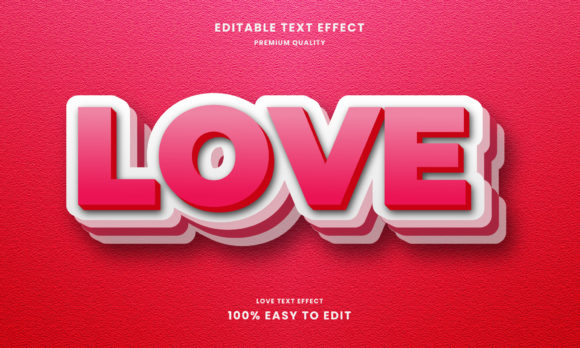
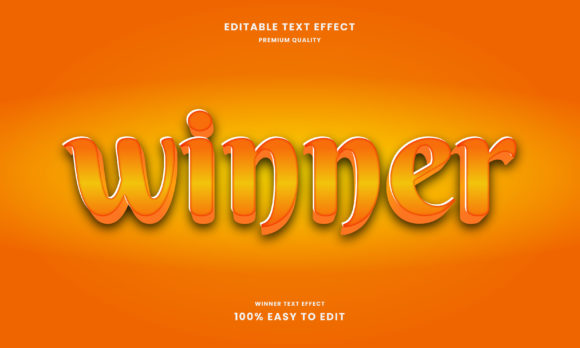
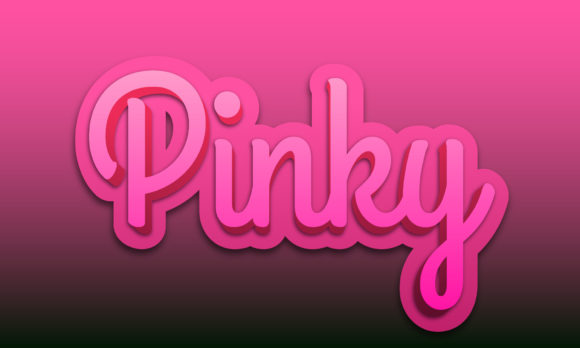
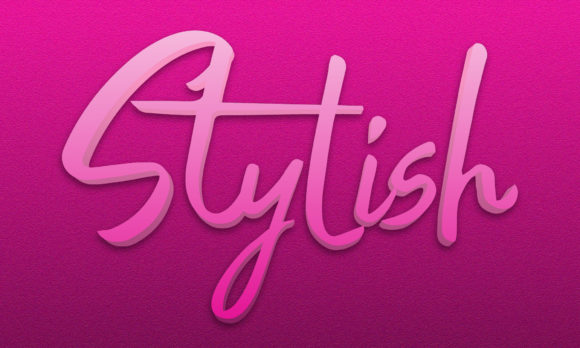
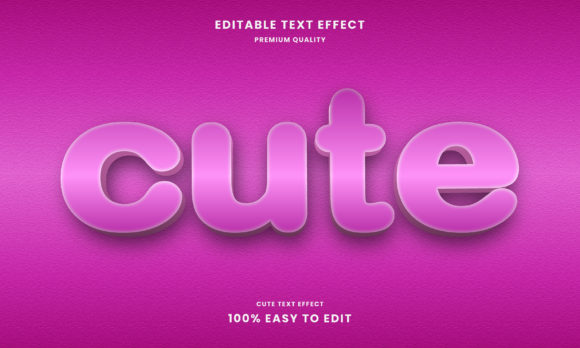
At its core, a cute 3D text effect is a typography style that uses shading, highlights, extrusion, and color gradients to make flat letters appear three-dimensional—while keeping the overall mood light, playful, and endearing. Unlike bold, metallic 3D fonts used in action movie titles, the cute version leans on pastel palettes, rounded edges, soft drop shadows, and sometimes even cartoonish features like tiny highlights or "kawaii" facial expressions added to the letters.
The magic lies in balancing depth with sweetness. The letters pop off the page or screen, but they do so with a gentle, friendly energy. Think of frosting on a birthday cake, squishy silicone keychains, or the bubbly lettering on a children's app icon. That is the essence of the cute 3D aesthetic.
Why the Cute 3D Text Effect Matters Today
In an era where digital content competes for milliseconds of attention, visual appeal is everything. The cute 3D text effect serves several important purposes in modern design:
- Grabs attention instantly – The depth and dimension make text more noticeable than flat alternatives.
- Evokes positive emotions – Soft shapes and cheerful colors trigger feelings of comfort, nostalgia, and delight.
- Builds brand personality – Companies targeting younger audiences or family-friendly markets use this style to appear approachable and fun.
- Improves readability – Surprisingly, the shading and contrast in 3D effects can make letters easier to distinguish, especially on busy backgrounds.
- Works across media – From website headers to product packaging, stickers, and video thumbnails, the effect translates well to both print and screen.
This style is particularly relevant in education, children's content, app design, social media marketing, and personal branding. A tutor's YouTube channel, a baby clothing store, or a meditation app for kids all benefit from the friendly, non-intimidating vibe that cute 3D text delivers.
Key Elements That Make a 3D Text Effect Feel "Cute"
Not every 3D text is cute. To achieve that specific charm, designers combine several visual ingredients:
- Rounded letterforms – Sharp edges feel aggressive; rounded corners feel safe and soft.
- Pastel or candy-colored palettes – Mint, lavender, peach, baby blue, and soft pink dominate this style.
- Gentle extrusion depth – The 3D layer is thick enough to notice but not so deep that it looks heavy or mechanical.
- Soft drop shadows – Harsh shadows kill the cute vibe; blurred, semi-transparent shadows keep things light.
- Bright highlights – Small white or light-colored reflections on the top edges suggest a shiny, almost edible quality.
- Playful details – Adding tiny hearts, stars, sparkles, or even simple faces to letters elevates the cuteness factor.
When these elements work together, the result is typography that feels less like a sign and more like a character—something you want to squeeze or smile at.
How to Create a Cute 3D Text Effect: A Beginner-Friendly Overview
You do not need to be a professional designer or own expensive software to make cute 3D text. Many accessible tools and techniques let you achieve impressive results. Here is a step-by-step look at the general process:
Step 1 – Choose the Right Font
Start with a rounded, friendly typeface. Avoid thin or overly ornate fonts. Good choices include Poppins, Fredoka One, Quicksand, Bubblegum Sans, or Baloo 2. The rounder the base letters, the cuter the final effect will feel.
Step 2 – Pick a Color Scheme
Select two to three colors from a pastel family. A common approach is to use a lighter color for the front face of the text and a slightly darker but similar hue for the extrusion or shadow. For example, soft pink in front with a dusty rose shadow, or mint green with a deeper teal extrusion.
Step 3 – Create the Depth (Extrusion)
Duplicate your text layer, offset it slightly (down and to the right or left), and change the color to your shadow shade. If using software like Photoshop or Canva, you can also use a 3D extrusion tool or a drop shadow effect with multiple layers. The goal is to create a visible "block" behind each letter.
Step 4 – Add Lighting and Highlights
To sell the 3D illusion, add a soft highlight along the top or left edge of the front text. This can be a thin white stroke, a gradient overlay, or a manually drawn reflection. The highlight suggests a light source hitting the top of the letters, making them look glossy and dimensional.
Step 5 – Soften the Shadows
Apply a blurred drop shadow beneath the entire text group. This grounds the letters on the page and reinforces the floating, playful feel. Keep the shadow semi-transparent and offset just slightly lower than the extrusion.
Step 6 – Embellish (Optional but Recommended)
Add small decorative elements around or inside the letters: tiny stars, hearts, sparkles, or even simple dots. You can also give the letters "kawaii" eyes if the context is very playful. This step pushes the effect firmly into the "cute" territory.
Tools You Can Use to Make Cute 3D Text
You have more options than ever, even if you are just starting out:
- Canva – Offers pre-made 3D text effects and simple layering tools. Great for beginners.
- Adobe Photoshop – Provides layer styles (bevel, extrude, drop shadow) that you can customize for a cute look.
- Adobe Illustrator – Using the 3D extrude and bevel effect, you can create scalable vector 3D text.
- Procreate – Popular with iPad artists; you can manually draw cute 3D letters with brushes and layers.
- Online generators – Websites like TextStudio, FlamingText, or CoolText offer one-click cute 3D text effects that you can customize and download.
- Blender (free 3D software) – For those wanting true 3D rendering, Blender allows you to model text and apply cute materials and lighting.
Each tool has a different learning curve, but the same design principles—round shapes, pastel colors, soft shadows, and highlights—apply everywhere.
Common Misunderstandings About Cute 3D Text Effects
As with any design trend, a few myths deserve clarification:
Myth 1: "Cute 3D text is only for children." While it does work wonderfully for kids, many lifestyle brands, food bloggers, stationery companies, and wellness apps use it to appear friendly and human. The tone is inclusive, not childish.
Myth 2: "It requires advanced software skills." Not anymore. With online generators and user-friendly tools like Canva, anyone can produce a decent cute 3D effect in minutes. Mastering it takes practice, but starting is easy.
Myth 3: "The effect looks the same on every background." Actually, the choice of background dramatically impacts readability. A cute 3D text with pastel colors will pop on a neutral or slightly darker background but may blend in if placed on a similarly colored surface. Contrast still matters.
Myth 4: "More depth means cuter result." Too much extrusion can make letters look bulky and overwhelming, losing the delicate charm that defines the style. Subtlety is often more effective.
Where Cute 3D Text Effect Works Best in Real Life
This style shines in countless everyday contexts. Here are some practical examples:
- Social media graphics – Instagram stories, Pinterest pins, and YouTube thumbnails benefit from the instant pop and friendly vibe.
- Educational materials – Flashcards, worksheets, online course titles, and children's ebooks become more inviting.
- Branding and logos – Small businesses like bakeries, toy stores, daycare centers, or craft shops use cute 3D text to communicate warmth.
- Product labels and packaging – A cute 3D font on a lotion bottle or snack box can influence purchase decisions at a glance.
- App and website design – Headers, call-to-action buttons, and loading screens with cute 3D text reduce friction and add personality.
- Personal projects – Birthday cards, invitations, scrapbook titles, and digital art pieces gain charm and depth.
The cute 3D text effect is versatile enough for both commercial and personal use, as long as the context aligns with its lighthearted tone.
Tips to Improve Your Cute 3D Text Designs
If you want to take your work from decent to delightful, keep these pointers in mind:
- Always test readability – No matter how cute the effect, if people cannot read the word, it fails. Check contrast and avoid overly complex decorations near the letterforms.
- Use consistent lighting – Ensure all highlights and shadows come from the same direction. Inconsistent lighting breaks the 3D illusion.
- Limit your color palette – Two to three harmonious colors are usually enough. Too many colors can look chaotic rather than cute.
- Experiment with textures – Adding a subtle grain, glossy shine, or even a faux-knit pattern inside the letters can make them feel more tactile and unique.
- Keep the audience in mind – What feels cute to a teenager may differ from what a preschooler finds adorable. Tailor your colors and details accordingly.
The Future of Cute 3D Typography
As digital design tools become more intuitive and AI-assisted, creating cute 3D text effects will only get easier. We are already seeing generators that produce custom 3D lettering in seconds based on simple prompts. However, the human touch—choosing the right font, balancing colors, and adding small heartfelt details—will remain essential. The trend shows no signs of fading because it taps into a universal desire for warmth, playfulness, and connection in a screen-dominated world.
Whether you are designing a logo for your small business, making a birthday surprise for a friend, or simply exploring a new creative hobby, the cute 3D text effect offers a rewarding blend of technical skill and artistic expression. Start simple, experiment often, and do not be afraid to let your letters smile.