Mastering the Stylish 3D Text Effect: A Complete Guide to Depth, Dimension, and Design
In the ever-evolving world of digital design, few visual techniques capture attention quite like the stylish 3D text effect. Whether you are scrolling through a social media feed, browsing a brand's homepage, or watching a movie title sequence, three-dimensional typography has a way of stopping you in your tracks. But what exactly makes a 3D text effect stylish, and how can you use it effectively in your own projects? This guide explores the purpose, significance, and practical application of 3D text effects, breaking down complex concepts into clear, actionable insights suitable for beginners and seasoned designers alike.
What Is a Stylish 3D Text Effect?
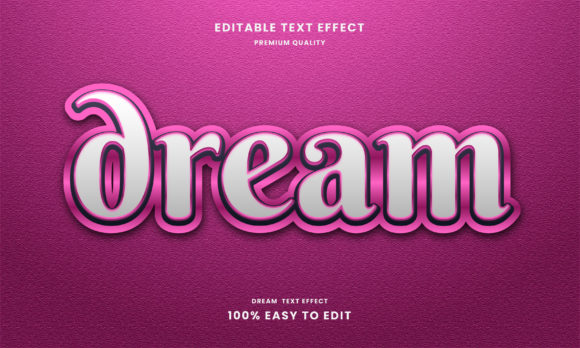
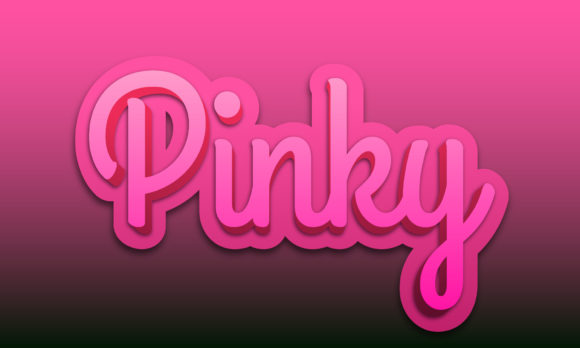
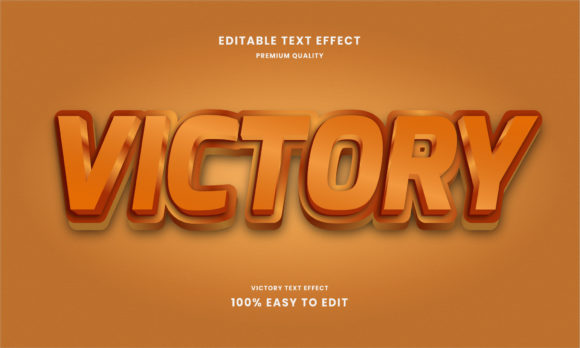
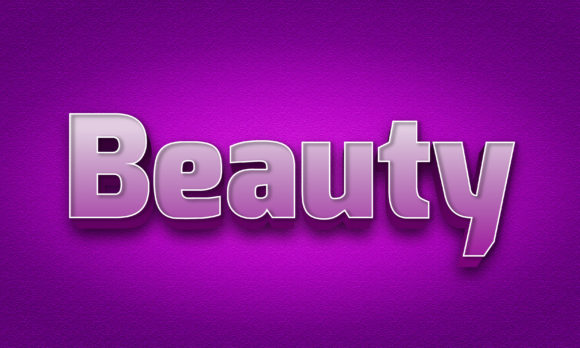
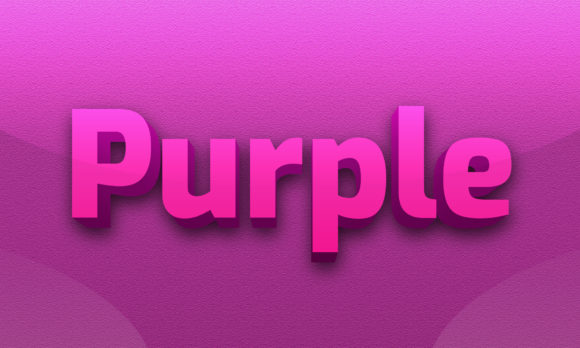
At its core, a 3D text effect is a technique that gives flat, two-dimensional letters the illusion of depth, volume, and spatial presence. Unlike standard typography, which exists on a single plane, 3D text appears to pop out of the screen, recede into the background, or twist and turn in three-dimensional space. The word "stylish" adds an extra layer of intention—it implies not just technical execution but also aesthetic flair, careful color choice, lighting, shadow, and texture that make the text visually compelling.
Think of the difference between a plain word written on a piece of paper and the same word carved into stone, rendered in glossy chrome, or extruded as if made of glowing neon. That transformation from flat to dimensional is the essence of the 3D text effect. It is a blend of art and technology, requiring both creative vision and an understanding of the tools that bring depth to life.
Why 3D Text Effects Matter in Modern Design
Typography is one of the most fundamental elements of communication. When you add a third dimension, you amplify the message. Here is why stylish 3D text effects have become so important in contemporary design:
Instant Visual Impact
In an age of information overload, grabbing a viewer's attention within seconds is critical. 3D text naturally draws the eye because it simulates real-world objects. Our brains are wired to notice depth, shadows, and highlights—these cues signal importance and presence. A well-executed 3D text effect can make a headline feel monumental, a logo feel tangible, or a call-to-action feel urgent.
Brand Differentiation
Businesses and creators are constantly searching for ways to stand out. A custom 3D typography style can become a signature element of a brand's visual identity. Whether it is a sleek metallic finish for a tech company or a playful, extruded cartoon style for a children's brand, the effect communicates personality and professionalism.
Enhanced Storytelling
Depth in text can convey emotion and context. A soft, rounded 3D effect with pastel shadows feels friendly and approachable, while sharp, angular letters with dramatic lighting suggest power and urgency. By choosing the right style, you reinforce the narrative of your content without saying a word.
Core Elements of a Stylish 3D Text Effect
To understand how to create or evaluate a 3D text effect, it helps to break it down into its fundamental components. These are the building blocks that give the text its dimensional quality:
- Extrusion: This is the process of pulling the letter shape outward to create thickness. The depth of the extrusion determines how far the text appears to project from the surface.
- Lighting and Shadows: Realistic or stylized light sources create highlights and cast shadows that define the form. Without proper lighting, 3D text can look flat or confusing.
- Bevel and Contour: Beveling rounds or angles the edges of the letters, giving them a polished, refined look. Contours add subtle curves to the surface, mimicking how light behaves on a curved object.
- Texture and Material: The surface appearance—whether glossy, matte, metallic, glass, fabric, or stone—adds realism and style. Texture mapping can make the text feel tangible.
- Perspective and Angle: Changing the viewing angle (isometric, tilted, or fully three-dimensional) affects how the text relates to its background and other elements in the composition.
- Color Gradients: Instead of a single flat color, 3D text often uses gradients to simulate light falloff and surface curvature, creating a richer visual experience.
How to Create a Stylish 3D Text Effect: Approaches for Different Skill Levels
You do not need to be a professional 3D artist to produce impressive results. There are multiple pathways, depending on your tools, time, and goals.
Using Graphic Design Software
Programs like Adobe Photoshop, Illustrator, and Affinity Designer offer built-in 3D tools or effects that simulate depth. In Photoshop, for example, you can use the 3D panel to extrude text, adjust lighting, and apply materials. Illustrator's 3D and Materials feature (introduced in recent versions) allows for extrusion, beveling, and real-time rendering. These tools are powerful but require a bit of patience to master the interface and settings.
Dedicated 3D Applications
For those wanting full control, software like Blender (free and open-source), Cinema 4D, or Maya provides professional-grade 3D modeling and rendering. In Blender, you can convert text to a mesh, extrude it, add materials, set up multiple lights, and render with realistic or stylized effects. The learning curve is steeper, but the creative possibilities are virtually unlimited.
Online Generators and Templates
If you need a quick, stylish result without learning complex software, online 3D text generators (such as MockoFUN, Canva's 3D text templates, or TextStudio) allow you to choose from pre-designed styles, adjust colors and angles, and download your text in seconds. These are great for social media graphics, presentations, or personal projects where speed matters more than unique customization.
CSS and Web-Based 3D Text
For web designers, CSS3 offers ways to create 3D text effects using text-shadow, transforms, and perspective. While not true 3D, layered shadows and pseudo-elements can create a convincing depth effect that loads quickly and works across browsers. This approach is ideal for headings and accent text on websites where performance and accessibility are priorities.
Practical Applications Across Industries
Stylish 3D text effects are not limited to one field. They appear across many areas of modern life, each with a unique purpose:
Entertainment and Media
Movie posters, video game titles, streaming platform thumbnails, and album covers frequently use 3D typography to evoke mood and genre. A horror film might use jagged, blood-red extruded letters, while a sci-fi series might feature sleek, chrome-textured type with motion blur.
Marketing and Advertising
Brands use 3D text in print ads, billboards, email headers, and product packaging. The effect makes promotional messages feel more substantial and memorable. For example, a "SALE" tag rendered in bold, golden 3D text immediately communicates value and urgency.
Web and UI Design
Modern websites often incorporate 3D headings for hero sections or landing pages. When used sparingly, the effect adds a premium feel without overwhelming the user interface. It signals that the brand invests in detail.
Education and Presentation
Teachers, trainers, and content creators use 3D text in slides, infographics, and explainer videos to emphasize key terms or concepts. The visual separation helps learners retain information more effectively than plain text.
Personal Creative Projects
From custom greeting cards to YouTube channel art to personal logos, individuals use 3D text effects to express creativity and make their content look polished. The accessibility of free tools has democratized this once-exclusive skill.
Common Misunderstandings About 3D Text Effects
As with any popular design technique, several myths and misconceptions can lead to frustration or poor results. Let us clear them up:
- "3D text is always realistic." Not true. Many stylish 3D effects are deliberately stylized—cartoonish, neon, low-poly, or abstract. Realism is one option, but not the only one.
- "You need expensive software to create good 3D text." While high-end tools offer more control, free software like Blender and online generators can produce excellent results. Skill matters more than price.
- "More depth is always better." Excessive extrusion or overly dramatic lighting can make text hard to read. The best 3D effects balance visual interest with legibility.
- "3D text is outdated." Trends come and go, but 3D typography has remained a staple because it works. The styles evolve—what was popular in the early 2000s looks different from today's sleek, minimalist 3D—but the core technique endures.
- "It takes hours to learn." With templates and presets, you can create a stylish 3D text effect in minutes. Mastering advanced techniques takes longer, but a beginner can achieve satisfying results quickly.
Best Practices for Using 3D Text Effects
To ensure your 3D text is both stylish and effective, keep these guidelines in mind:
- Prioritize readability. No matter how beautiful the effect, if the text is hard to read, it fails. Choose fonts that are clear even when extruded, and avoid overly complex lighting that obscures letterforms.
- Match the style to the context. A playful 3D effect might work for a party invitation but feel out of place on a legal document. Consider your audience and medium before choosing a style.
- Use color intentionally. Colors should complement the background and reinforce the mood. High-contrast colors improve visibility, while analogous palettes create harmony.
- Keep shadows consistent. If your text has a drop shadow, make sure it aligns with the lighting direction of the scene. Inconsistent shadows break the illusion of depth.
- Don't overuse it. 3D text is a powerful accent. Using it for every word on a page can cause visual fatigue. Reserve it for headlines, logos, or key messages.
- Test on different backgrounds. A 3D effect that looks stunning on a dark, solid background might disappear on a busy, light-colored one. Always preview your text in context.
The Future of 3D Typography
As technology advances, so do the possibilities for 3D text effects. Real-time rendering engines, augmented reality, and virtual reality are opening new frontiers. Imagine a brand logo that exists as a 3D object in your living room through AR, or a website heading that responds to your mouse movement with parallax depth. These interactive experiences are becoming more common, and 3D typography is at the heart of them.
Artificial intelligence is also starting to play a role. AI-powered tools can generate 3D text effects based on descriptive prompts, making the technique even more accessible. However, the human touch—understanding composition, color theory, and audience—remains irreplaceable.
Conclusion
The stylish 3D text effect is more than a passing trend. It is a versatile, impactful tool that bridges the gap between flat design and the three-dimensional world we inhabit. By understanding its components, exploring different creation methods, and applying best practices, anyone can use 3D typography to elevate their work. Whether you are a beginner experimenting with an online generator or a professional crafting custom typography in Blender, the key is to stay curious, practice consistently, and always keep the reader or viewer in mind. Depth, when used wisely, adds not just dimension to letters but also meaning to your message.