The Complete Guide to 3D SVG Craft Files: What Every Maker and Designer Should Know
If you have spent any time in the crafting community lately, you have likely come across the term 3D SVG craft file. These digital files promise to turn a flat cutting machine into a tool that produces dimensional paper art, layered shadow boxes, pop-up cards, and even small sculptures. The appeal is understandable. A single download can yield something that looks far more complex than a standard flat cut. But the reality of working with these files is not always as straightforward as the preview images suggest. Many people download their first 3D SVG craft file full of enthusiasm, only to find themselves staring at a pile of tiny pieces with no clear idea how they fit together. That gap between expectation and outcome is almost never the fault of the file itself. It comes down to a handful of common mistakes that are easy to avoid once you know what to look for.
Mistaking a Layered File for a 3D SVG Craft File
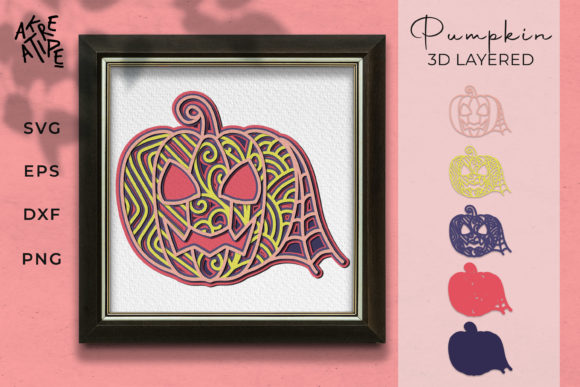
One of the most frequent misunderstandings happens before a file is even downloaded. A layered SVG that stacks several flat shapes on top of each other is not the same as a true 3D SVG craft file. A layered design produces depth by placing one cutout above another, often using foam adhesive squares to create separation. A genuine 3D file, by contrast, typically includes tabs, slots, folds, or interlocking mechanisms that hold the structure together without relying entirely on adhesive thickness for dimension. When someone expects one and gets the other, the result is often disappointment. The layered piece may look flat, or the 3D piece may seem overly complicated for what it is.
The fix is simple. Before you buy or download, look for indicators of actual dimensional construction. Does the preview show tabs or slots? Does the description mention scoring lines, fold lines, or assembly order? If the only dimension comes from stacking identical outlines, you are likely looking at a layered flat file, not a true 3D SVG craft file. Both have their place, but knowing which you are working with saves time and frustration.
Ignoring the Assembly Instructions Until It Is Too Late
Another mistake that trips up experienced and beginner crafters alike is jumping straight into cutting without reviewing the assembly guide. A 3D SVG craft file often contains dozens of individual pieces that look nearly identical at first glance. Without the instructions, it is easy to confuse the left side of a box with the right, or to miss which tabs fold inward versus outward. Once the pieces are cut and removed from the mat, figuring out the correct order becomes a puzzle that the instructions were designed to solve.
A better approach is to open the instructions before you load your material. Read through the assembly sequence once. Highlight any notes about paper weight, fold direction, or glue placement. Some designers include a numbered cutting guide that corresponds to assembly steps. If you take five minutes to understand that system before you cut, you will save yourself at least twenty minutes of confusion afterward. If the file came without instructions at all, that is a red flag. Reputable designers always provide at least a basic assembly guide for any 3D SVG craft file that requires more than five pieces.
Choosing the Wrong Material Weight
Material selection is where many well-intentioned projects go sideways. A 3D SVG craft file that was designed for 65 lb cardstock will not hold its shape if you cut it in 20 lb printer paper. The tabs will bend, the slots will be too loose, and the finished piece will look flimsy. On the other hand, using 110 lb cardstock for a file designed for lighter paper can make the slots too tight, causing the tabs to tear during assembly. The file itself is not the problem. The problem is a mismatch between the design specifications and the material you chose.
Every good designer specifies a recommended material weight somewhere in the listing or the instructions. If that information is missing, a safe starting point for most 3D SVG craft files is 65 lb to 80 lb cardstock. That range offers enough rigidity for tabs and slots to hold while still being flexible enough for scoring and folding. If you are unsure whether your material matches, cut a test piece of a single tab-and-slot connection before cutting the entire file. That small check can save an entire sheet of material and hours of cutting time.
Overlooking the Importance of Tab and Slot Tolerance
Even experienced crafters sometimes underestimate how much difference a tiny measurement makes in a 3D SVG craft file. Tab and slot fit is everything in dimensional paper crafting. If the tab is too wide for the slot, you will struggle to insert it without tearing. If it is too narrow, the joint will be loose and the structure will wobble. That tolerance is built into the file by the designer, but it can be affected by your machine's calibration, the thickness of your material, and even the adhesive backing on your cutting mat.
If you find that a file consistently produces joints that are too tight or too loose, check your machine settings first. Blade depth, pressure, and the condition of your cutting mat all influence the final cut width. A dull blade can burnish the edges of a slot, making it effectively narrower than intended. A mat that has lost its grip can allow the material to shift, altering the alignment of tabs and slots. Before you blame the file, rule out those variables. If the file works for other users but not for you, the issue is almost certainly on your hardware side rather than in the design.
Forgetting to Score Before You Cut
This one seems obvious after you have made the mistake once, but it is surprisingly common. Many 3D SVG craft files include score lines that need to be drawn or creased before the piece is removed from the mat. If you cut the outline first and then try to score, the piece may shift, or the scoring tool may catch on already-cut edges. The result is uneven folds that throw the entire assembly off.
The solution is to set up your cutting machine to perform scoring passes before the cut pass. Most design software allows you to change the order of operations for scoring versus cutting. If your machine supports a separate scoring tool, use it. If you are scoring by hand with a bone folder, cut the file but leave the pieces on the mat, score along the lines, and then remove them. That small workflow change makes a dramatic difference in how cleanly your final piece folds and fits together.
Underestimating Assembly Time
The preview image for a 3D SVG craft file often shows a polished, finished piece that looks like it took someone an afternoon to assemble. The reality is that a complex file with fifty or more pieces can take several hours of careful work, especially the first time you build it. Crafters who assume they will finish in one sitting sometimes rush the assembly, skip drying time for glue, or force pieces together, leading to a result that looks rushed and unrefined.
A more realistic expectation is to treat assembly as a separate creative session from cutting. Cut your pieces one day, then assemble them the next. That gives you time to review the instructions without pressure and allows you to work at a comfortable pace. If the file is a gift or a time-sensitive project, give yourself at least double the time you think you need. A well-made 3D SVG craft file is a pleasure to assemble, but only when you are not racing against a deadline.
Choosing Poorly Designed Files to Save a Few Dollars
Price is a legitimate consideration, but the cheapest 3D SVG craft file on a marketplace is often the most expensive in terms of time and frustration. A low-quality file may have missing score lines, misaligned tabs, inconsistent sizing, or no instructions at all. The preview image might have been rendered in software rather than photographed from an actual physical build. You can end up spending hours trying to make a file work that was never properly tested.
Look for designers who show real photos of their assembled projects, not just digital mockups. Read reviews that mention assembly experience, not just cut quality. A slightly higher price from a reputable designer is almost always worth it because that designer has likely tested the file across multiple machines and materials. They have fixed the tolerance issues and written clear instructions. Your time is valuable, and paying a few extra dollars for a reliable 3D SVG craft file is one of the best investments you can make in your crafting sanity.
What to Check Before You Download or Buy
Before you commit to any 3D SVG craft file, take a moment to evaluate a few key details. Check whether the file format is compatible with your machine and software. Some files are optimized for specific cutting platforms and may not transfer cleanly to others. Look for a material list and a recommended paper weight. If the designer does not specify, ask or look for user comments that mention what they used. Review the assembly instructions if they are available as a preview. They should be clear enough that you can follow them without guessing. Finally, consider the complexity level honestly. A beginner should not start with a multi-layer architectural model. Start with a simple box, a small lantern, or a card with one or two dimensional elements. Build confidence with simpler 3D SVG craft files before tackling the elaborate ones.
Making the Most of What You Learn
Every mistake made with a 3D SVG craft file teaches something useful about material behavior, machine settings, or assembly strategy. The crafters who get the best results are not the ones who never make mistakes. They are the ones who take the time to understand why something went wrong and adjust accordingly. If a tab tore, consider a lighter paper or a shallower blade depth. If a fold cracked, try scoring deeper or using a different brand of cardstock. If the assembly instructions were confusing, look for a video tutorial or a different designer whose style matches how you learn.
The world of dimensional paper crafting is genuinely rewarding. A well-built piece from a solid 3D SVG craft file has a presence that flat paper simply cannot match. It catches light differently. It creates shadows. It feels substantial in the hand. That satisfaction is worth the small learning curve. By avoiding the common pitfalls, choosing files wisely, and giving yourself the time to assemble properly, you can consistently produce results that look like they came from a professional studio rather than a hobby table. The difference is rarely talent. It is almost always preparation and the right information.