Game 3D Text Effect: How Designers Add Depth and Drama to Typography
Whether it’s the pulsing title of a blockbuster video game, the dramatic logo of an esports team, or an eye-catching banner on a live stream, the Game 3D Text Effect has become a staple of modern digital design. It gives words weight, energy, and a sense of presence that flat text simply cannot match. But what exactly is a Game 3D Text Effect, and why has it become so influential? This article explores the concept from the ground up, covering its purpose, techniques, practical applications, and how you can create your own stunning 3D text for games, branding, or creative projects.
What Is a Game 3D Text Effect?
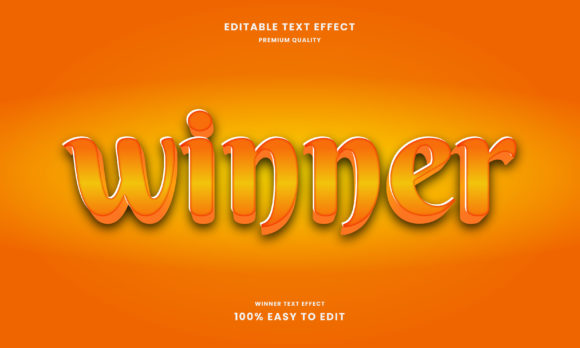
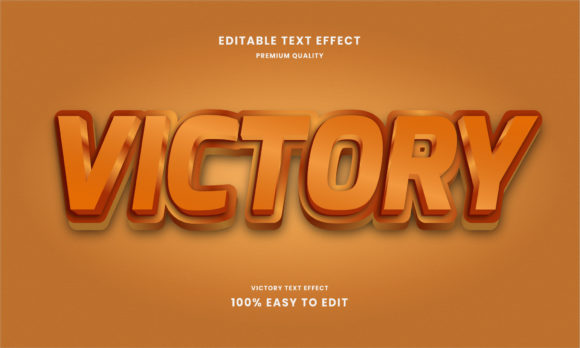
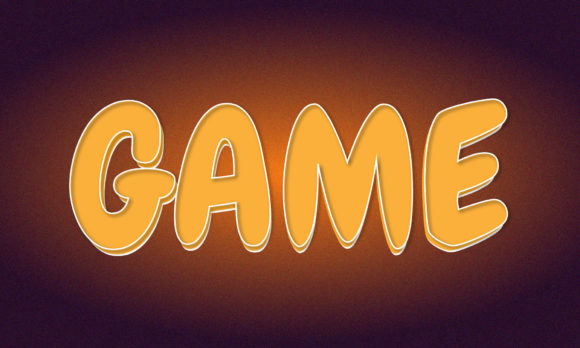
A Game 3D Text Effect is a visual styling technique that transforms standard flat typography into three-dimensional lettering, often with dynamic lighting, shadows, gradients, and textures. Unlike basic 3D text found in productivity software, game-style 3D text is designed to evoke excitement, immersion, and a sense of high-energy interactivity. It borrows heavily from the visual language of video games — bold outlines, metallic finishes, neon glows, beveled edges, and dramatic perspective.
At its core, the effect is about making letters feel tangible. Instead of simply reading the word "FIGHT," a viewer might see it bursting forward from the screen with chrome reflections and a fiery backdrop. This approach turns text into a visual asset, not just a carrier of information.
Why Game 3D Text Matters in Modern Design
Typography is one of the most powerful tools in a designer’s toolkit. When you add a 3D game-inspired treatment to it, you unlock several advantages:
- Attention Grabbing: 3D text naturally draws the eye because it mimics real-world objects. Our brains are wired to notice depth and dimensionality.
- Brand Recall: Memorable game logos and titles often use 3D text. Think of classics like Street Fighter or modern hits like Cyberpunk 2077. The text becomes part of the brand identity.
- Emotional Impact: The style conveys excitement, power, and modernity. It fits perfectly in gaming, entertainment, and youth-oriented marketing.
- Versatility: From mobile game splash screens to YouTube thumbnails and even print posters, 3D text effects work across media.
In a world where digital content competes for split-second attention, using a Game 3D Text Effect can be the difference between being noticed or ignored.
Core Visual Elements of Game 3D Text
To understand how to create or evaluate these effects, it helps to break down the common visual components. Most game-style 3D text relies on a combination of the following elements:
Depth and Extrusion
This is the most fundamental aspect. By extruding the letters — giving them thickness — the text appears to pop out from the background. The depth can be subtle or extreme, depending on the desired dramatic effect.
Lighting and Shadows
Realistic or stylized lighting creates the illusion of three dimensions. Highlights on the top edges, dark shadows underneath, and sometimes a drop shadow on the ground plane make the text feel like a physical object.
Bevels and Edge Details
Beveled edges soften the transition between the front face and the sides of the letters. In game text, these edges are often sharp and metallic, adding a polished, high-tech look.
Gradients and Textures
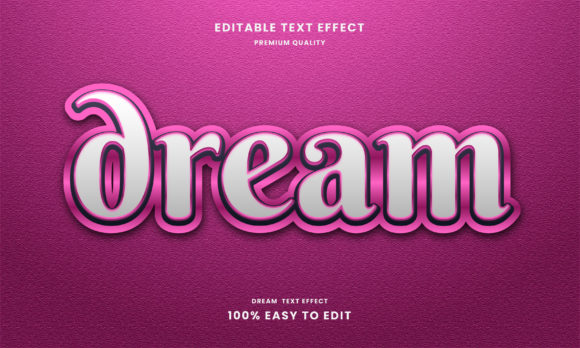
Flat colors rarely appear in game-style 3D text. Instead, designers use gradients that simulate metal, chrome, glass, or even glowing neon. Textures like brushed metal, carbon fiber, or pixel patterns add further depth.
Outlines and Strokes
A strong, often dark outline separates the text from the background and reinforces the 3D shape. In some styles, the outline glows or has its own subtle gradient.
Dynamic Effects
In animated applications, the text might pulse, rotate, shimmer, or emit particles. Even static versions often simulate motion through skewed angles or speed lines.
Where Is Game 3D Text Used Today?
The applications for this effect go far beyond video game titles. Here are some of the most common and creative uses:
- Game Titles and Headers: The most obvious use. A game's title screen sets the tone, and 3D text builds anticipation.
- Esports and Gaming Branding: Team logos, stream overlays, and tournament banners all benefit from the high-energy look.
- YouTube Thumbnails and Video Intros: Content creators use 3D text to make their videos stand out in crowded feeds.
- Mobile App Icons: Many gaming and entertainment apps use 3D-style text for their icons to communicate a premium, fun experience.
- Posters and Merchandise: Print designs for gaming events, movie posters, and apparel often incorporate 3D typography.
- Web Design and Landing Pages: Hero sections with 3D text create immediate visual impact and convey a modern brand personality.
Common Misunderstandings About Game 3D Text
Because the effect looks complex, many beginners assume it requires expensive software or advanced coding skills. In reality, there are accessible tools for every skill level. Another myth is that 3D text is always the best choice — but overusing it can make a design feel cluttered or gimmicky. The key is to use it intentionally, where the tone and context call for boldness.
There’s also a misconception that 3D text must look photorealistic to be effective. Stylized, cartoony, or retro 8-bit 3D text can be just as engaging, depending on the project.
How to Create a Game 3D Text Effect: A Beginner-Friendly Approach
You don’t need to be a professional designer to create impressive results. Here’s a step-by-step overview that works with tools like Photoshop, Illustrator, or free alternatives like GIMP and Canva (with 3D text features). For those comfortable with code, CSS and JavaScript libraries like Three.js can generate 3D text in the browser.
Step 1: Start with Bold Typography
Choose a font that has strong, thick strokes. Sans-serif fonts like Impact, Bebas Neue, or custom bold typefaces work best. Thin or script fonts don’t extrude well.
Step 2: Create the Extrusion
In image editors, use layer styles or 3D tools to give the text depth. Adjust the depth slider to control how far the letters come forward. In 3D software, this is called "extruding" the text object.
Step 3: Apply Lighting and Bevels
Add a directional light source — typically from the top-left or top-right. Use bevel effects to round or sharpen the edges. This step makes the text look polished rather than blocky.
Step 4: Add Materials and Textures
Choose a color scheme. Metallic gold, silver, or cyberpunk neon are popular. For textures, overlay a brushed metal or noise pattern to give the surface realism.
Step 5: Shadows and Background
A soft drop shadow on the ground adds realism. The background should contrast the text — dark backgrounds make bright text pop, while light backgrounds work for dark, bold text.
Step 6: Enhance with Effects (Optional)
Add a subtle glow, a gradient map, or even particle effects around the text. In animation tools, you can make the text rotate or pulse for extra energy.
Tools and Software for Game 3D Text
Here’s a quick overview of popular tools, from beginner to advanced:
- Canva: Offers simple 3D text presets with shadows and gradients. Great for quick social media graphics.
- Adobe Photoshop: Layer styles (bevel, emboss, drop shadow, gradient overlay) let you create convincing 3D text without leaving 2D.
- Adobe Illustrator: The 3D and materials panel allows real-time extrusion and lighting. Ideal for vector-based 3D text.
- Blender: A free, open-source 3D suite. You can create fully photorealistic 3D text with custom lighting, textures, and animation.
- CSS (Web): Using
text-shadow,transform, andperspective, you can create lightweight 3D text for websites. Libraries like Three.js bring full 3D typography to the browser. - Specialized Apps: Apps like TextFX or Phonto offer mobile-friendly 3D text styling for on-the-go content creation.
Best Practices for Using Game 3D Text
To make sure your 3D text serves its purpose without overwhelming the viewer, keep these principles in mind:
- Match the Mood: Use 3D text for energetic, modern, or futuristic themes. Avoid it for formal, minimalist, or serious content.
- Prioritize Readability: Fancy extrusions and glows should not sacrifice legibility. Always test your text at different sizes.
- Keep It Clean: Too many effects (glow, gradient, texture, outline, shadow all at once) can create visual noise. Limit yourself to two or three key treatments.
- Consider the Background: The text should stand out clearly. Busy backgrounds can kill the effect. Use contrast wisely.
- Animate with Purpose: If you add motion — such as a slow rotate or a pulse — make sure it enhances the message rather than distracting from it.
The Role of Game 3D Text in Modern Culture
Beyond design techniques, Game 3D Text Effects reflect a broader cultural shift. Gaming has moved from a niche hobby to a dominant form of entertainment, and its visual language has infiltrated everything from advertising to user interfaces. When you see a bold 3D title on a streaming service or a product launch, it’s borrowing the energy and excitement of gaming. This effect has become a visual shorthand for "cutting-edge," "entertaining," and "interactive."
In education and creativity, learning to create 3D text introduces beginners to fundamental concepts like lighting, perspective, and material design. It’s a gateway into broader 3D modeling and graphic design skills.
Final Thoughts
The Game 3D Text Effect is far more than a trend. It’s a powerful communication tool that uses depth, light, and texture to make words feel alive. Whether you’re a gamer designing a clan logo, a small business owner creating social media assets, or a web developer looking to add visual flair, understanding the principles behind 3D text empowers you to make design choices that resonate.
Start simple, experiment with different styles, and don’t be afraid to push the boundaries. With the right tools and a bit of practice, you can bring your typography to life in ways that capture attention and leave a lasting impression. The world of 3D text is wide open — and it’s waiting for you to make your mark.